
How to blur faces in videos with our app
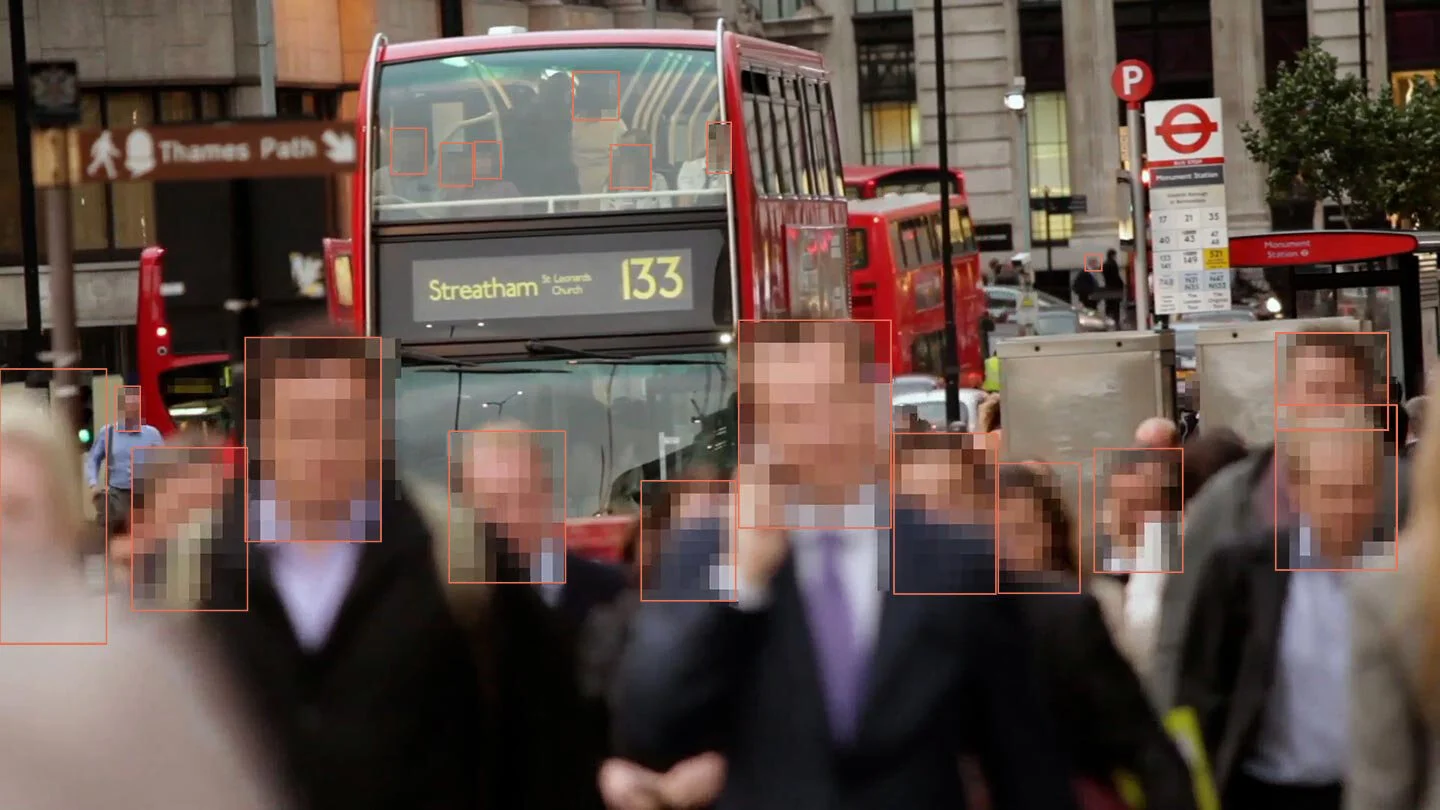
In our modern world, video has become a primary medium for capturing events. From surveillance footage in a retail store to a bodycam recording from a public safety incident, these visual records are invaluable. Yet, every frame of every video contains sensitive information, creating a significant privacy challenge. The need to blur faces in videos has become a non-negotiable part of modern data management. For organizations that handle vast volumes of this data, a simple, powerful, and compliant way to blur faces in videos is essential.
This is where Secure Redact’s app comes in. Designed with user efficiency and privacy at its core, it provides a comprehensive solution for blurring faces in videos, images, and other digital assets.
The challenge of manual blurring
Historically, the task of blurring faces in videos has been a laborious and time-consuming process. It required specialized video editing software and a human operator to manually track and obscure every face, frame-by-frame. This approach is not only inefficient but also highly prone to human error, particularly in complex or crowded scenes. A single missed face or an obscured identity can compromise the entire privacy effort, leaving an organization exposed to compliance risks and reputational damage. In a world where minutes matter, this manual bottleneck is no longer sustainable.
Try our automated audio and video redaction solution today.

Introducing Secure Redact: Your app for video privacy
Secure Redact is engineered to solve this problem. Our app provides an intuitive and powerful solution to blur faces in videos and images with app-based automation. We've built the platform around a simple, user-friendly workflow that puts the power of AI at your fingertips without the complexity of traditional editing software. Our app allows you to take a complex privacy task and simplify it into a few easy steps.
How our app solves the problem: The mechanics of automation
Our app’s AI-powered solution for blurring faces in videos works in a streamlined, automated way:
Step 1: Simple upload
Get your video or image into the app with a simple drag-and-drop. Our platform supports a wide variety of video formats and file types, so you don't have to worry about compatibility.
Step 2: AI-powered detection
The app’s AI instantly gets to work. It automatically detects and identifies every face in your video or image. This is a crucial step that takes the tedious manual work off your plate, ensuring that even a face in the background is detected and flagged for redaction. This is the heart of how our app can anonymize faces in videos with speed and accuracy.
Step 3: Precision control
The app presents you with all detected faces, and you can simply confirm that you want to redact them. You have full control, allowing you to fine-tune the results by adding or removing redaction boxes as needed.
Step 4: Fast processing and download
Once you’ve confirmed your selections, the app gets to work. The platform processes your video or image in a fraction of the time it would take a manual editor. The final output is a new, redacted file that is ready for secure sharing or public release. The result is a clean, professional blurred face and a pristine blurred video that is compliant with your data privacy obligations.
Real-world impact: From a problem to a solution
The ability to blur faces in videos with our app has a direct and immediate impact across a variety of sectors:
Public Safety: A police officer needs to share bodycam footage with the media to release information about an incident. The app can quickly and accurately blur faces of uninvolved bystanders or victims, ensuring that the necessary information is released without compromising privacy.
Retail: A store manager needs to share CCTV footage of a theft with police. The app can instantly blur video to anonymize customers in the store, ensuring that the evidence is clean and focused on the relevant individuals.
Education: A school administrator needs to share a security video with a parent following an incident. The app can be used to anonymise faces in videos of all students who are not involved, ensuring that the video is compliant with FERPA regulations.
Transport & Insurance: A transport company needs to submit dashcam footage of an accident for a claims investigation. The app can be used to blur faces in videos and license plates of other drivers and bystanders, ensuring that the evidence is secure and compliant.
The solution is not just a tool for video blur; it's a strategic asset for data privacy. Secure Redact's app transforms a complex privacy challenge into a straightforward digital task, allowing organizations to manage their video and image data with confidence and security.