PII Redaction Software
With a growing concern around compliance, protecting personally identifiable information (PII) is of paramount importance. The Secure Redact PII redaction software automatically redacts PII.
What is PII Redaction?
PII redaction refers to the process of obscuring personally identifiable information to preserve the anonymity of an individual. Examples of PII include names, addresses, social security numbers, phone numbers, email addresses, financial account numbers, and more.
PII redaction most commonly takes place where a lot of personal data is handled. Some examples include healthcare (under HIPAA), finance (under GDPR) and legal (under attorney–client privilege). Video redaction software for law enforcement is also used by police personnel to protect the identity of members of the public.
Importance of PII Redaction
Following protocol when it comes to the protection of PII is essential to ensure that the data of each individual you have access to is kept safe at all times.
Aside from legal compliance and privacy protection, other reasons why PII redaction is important include:
Preservation of trust and reputation among customers, employees, and visitors.
For secure sharing with 3rd parties or the public.
Risk mitigation in case of data breaches.
Core features of our Face Blur Software

World-leading accuracy
Over 99% of PII automatically identified for redaction.

Dedicated data processing
Across separate jurisdictions for the UK/Europe and the US.

Flexible and scalable deployment
Accessible via SaaS, APIs or customer cloud.

Fast editing, even faster redaction
Redact a 10-minute CCTV video in 10 minutes with Secure Redact*.

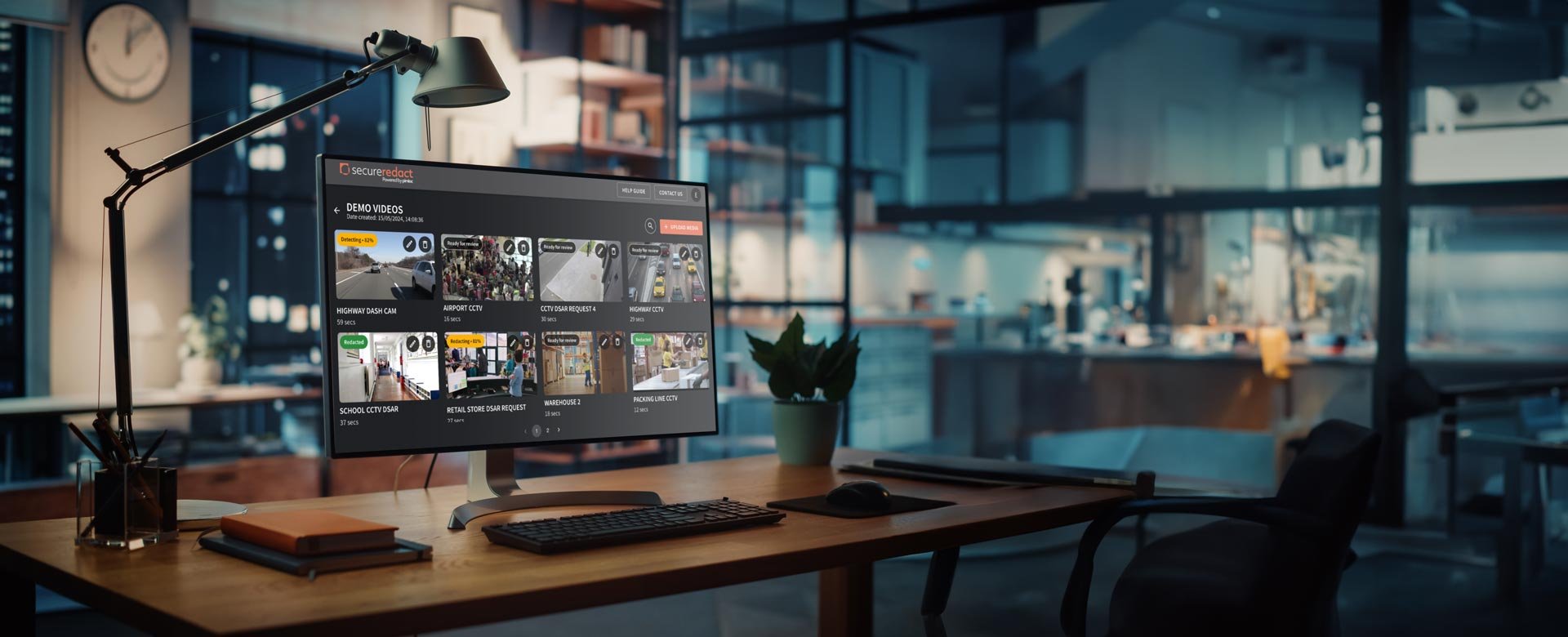
Upload a video
Upload your video to get started.
Secure Redact will automatically detect all faces and license plates, and display the video in the Secure Redact video editor.
All personal data that has been detected will have an orange redaction box over them.


Review the video
Review your video to make sure that all the PII you need to redact has an orange redaction box overlaid in each frame.

Group tracks with Gallery
Previously known as Inspector, Gallery simplifies redacting/unredacting individuals by allowing you to easily group all Tracks for the same person into one Timeline row.
Click on the individual’s redaction box and click Gallery from the Toolbar.
Label the Track in the Gallery Panel.
In Suggestions, find the Tracks with your person and drag-and-drop them into the above labeled entity.
Click here to find out more.


Fill in the gaps with Tracker
Easily track new people/objects for redaction with Secure Redact's automated Tracker.
Draw a redaction box over a person/object that doesn't already have one. Then click Tracker.
Secure Redact's intelligent tracking will automatically follow that person/object throughout the entire video.
Click here to find out more.

Unredact a specific individual
All your individual’s corresponding tracks are now in one Timeline row.
To unredact that individual and keep everyone else blurred in the video, simply untick the Timeline row.


Preview the blurred video
To preview what the video will look like before you finish editing, go to the Redact Panel (right) and click Smooth or Pixelated Blur, or Black Box redaction.


Redact and download your video
Finished editing your video?
Click Redact to redact your video, ready for download. This opens the Redact Panel (right), where you can specify your final redaction settings (e.g. blur type, audio redaction and more). Then, click Export.
Once the video has been redacted, you can easily download (or go back to edit) your video.

Benefits of our multimedia redaction software for blurring video
Keep operations data compliant
Quickly respond to DSARs, FOIAs, ROA requests.

Save time, resources and cost
Automated and scalable redaction, over 280x faster than traditional methods.

Turn video into a valuable asset
Anonymized live feeds enable secure live alerts and real-time analytics.

Easily share anonymized video
With 3rd parties for peer review, incidents, training, or with the public.
Build trust with customers
Manage video for transparency with customers, employees and visitors.

Automated access monitoring
Secure access to CCTV feeds outside SOC for more ground coverage.

FAQs
How do you redact personal information?
The process that you'll need to follow to redact personally identifiable information (PII) will depend on the tool you use. If you opt for Secure Redact, the process will be quick and easy because it can detect 99% of PII automatically for redaction.
Is PII redaction software difficult to use?
For PII redaction, Secure Redact offers unparalleled effectiveness. Verify its capabilities through user reviews or try our tool for free.
How can I redact PII for free?
The first step to redacting PII for free is to find a data redaction software, which won't cost you anything to use. In the case of Secure Redact, when you sign up, you can choose from three different plans.
Our Basic plan allows you up to 20 minutes of video redaction time per month, for free - no credit card required. For the full list of features that each plan has to offer, please refer to our pricing page.
How long does PII Redaction take?
When the redaction process is done manually, it can be extremely time-consuming, which is why software like Secure Redact exists. When you use our redaction software, all PII detected will be redacted automatically and up to 280 times faster than if you were to use a manual redaction method.
What is the best redaction tool for PII?
Secure Redact is the world-leading solution which has over 99% accuracy. You can also read up on reviews from our users online or even try out our tool for yourself completely for free.
Find out what our customers have to say about the Secure Redact platform
-
![]()
"If I'm saying you could use it, you really can."
Peter McCormack, Operations Director of Marine Football Club, Liverpool
-
![]()
"To have that extra time to go and do what I wanna do, it’s been great."
James Bieker, Investigations Technical Specialist at Washington County Sheriff’s Office (Special Investigations Division)
-
![]()
"If we had to do this project manually, it would have cost months to process."
Danny Oude Lansink, Infrastructural Maintenance and Operations Consultant at Roelofs
-
![]()
"It is saving time and money across the board."
Hollie Mela, Deputy Data Protection Officer at Holland & Barrett
-
![]()
"It gave me exactly what we needed for what was quite a critical situation."
Rysz Detko, Patient Services Manager at The University Hospitals of Morecambe Bay NHS Trust